

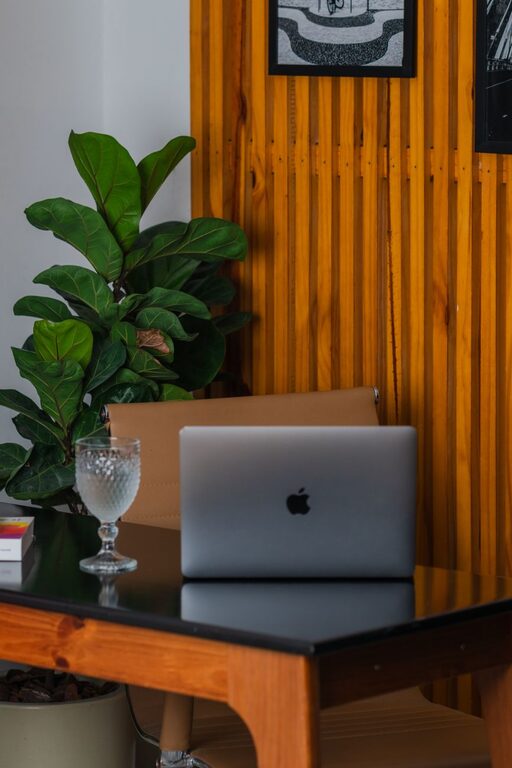
A workspace does not need a complete makeover to feel fresh. In just ten minutes, you can clear visual clutter, improve your comfort, and create a more inviting place to work. A quick reset is also easier to maintain than a major organizing project, making it a practical habit for busy days.
Use the guide below whenever your desk feels crowded, distracting, or less comfortable than usual.
Minute One: Set a Simple Goal
Before moving anything, decide what you want your workspace to do for you. Are you preparing for a focused work session, clearing the desk at the end of the day, or making room for a new project?
Choose one goal, such as:
– Clear the main work surface
– Find the items you use most often
– Make the space more comfortable
– Remove distractions
– Prepare for tomorrow
A clear goal keeps the reset quick. You are not trying to reorganize your entire room. You are making a few useful changes that have an immediate effect.
Set a timer for ten minutes if you find it helpful. Once the timer starts, move with purpose and avoid getting pulled into unrelated tasks.
Minutes Two and Three: Clear the Main Surface
Start with the area directly in front of you. Remove everything that does not belong there, including empty cups, old notes, packaging, unused supplies, and items that have collected during the day.
Create three quick groups:
- **Keep:** Items you use regularly at your desk
- **Move:** Items that belong somewhere else
- **Remove:** Trash, recycling, or items you no longer need
Do not worry about finding the perfect place for every item right away. Put items from the “move” group in a small basket or on a nearby chair. The goal is to clear your working area first.
Keep only the tools you need for the next few hours within easy reach. A less crowded surface can make it easier to begin tasks and switch between them.
Minute Four: Organize Your Everyday Tools
Once the main surface is clear, arrange the items you use most often. Place frequently used tools where you can reach them without interrupting your work.
For example:
– Keep pens and pencils in one holder
– Place a notebook beside your keyboard
– Store chargers together
– Put sticky notes in one small stack
– Keep headphones on a hook or stand
– Place reference materials on one side of the desk
Try to create clear zones. One area can hold writing supplies, another can hold technology, and a third can hold papers or notebooks. These simple zones make it easier to return items to the right place later.
Avoid filling every open space. Empty areas are useful because they give you room to write, sort papers, or work on a project.
Minute Five: Tidy Your Cords
Loose cords can make a workspace look messy and may get in the way. Take a minute to gather them into a manageable group.
You can use:
– Reusable cable ties
– Small clips
– A cable box
– Labels
– A simple cord holder
Separate cords that you use every day from those you rarely need. Keep regular-use cords easy to access, and store extra cables in a labeled container or drawer.
There is no need to create a complicated cable system. Even gathering cords along the back edge of the desk can make the space look cleaner and feel easier to use.
Minute Six: Improve Your Comfort
A refreshed workspace should not only look better. It should also support comfortable work.
Check a few basic details:
– Is your chair at a comfortable height?
– Are your feet resting firmly on the floor or a footrest?
– Is your screen positioned so you can view it without leaning forward?
– Are your keyboard and mouse easy to reach?
– Is there enough room to move your arms?
Make small adjustments rather than trying to perfect everything. Move your chair, shift your screen, or reposition your keyboard. If you use a laptop, consider placing it on a stand or a stack of sturdy books so the screen is easier to view.
Your workspace may also feel better with a small cushion, a soft desk mat, or a warmer layer nearby. Comfort can make it easier to stay focused during longer sessions.
Minute Seven: Refresh the Lighting
Lighting has a strong effect on how a workspace feels. Take a moment to adjust your light sources.
Open curtains or blinds if natural light is available and comfortable. Move a lamp so it illuminates your work without shining directly into your eyes or creating strong screen glare.
If your workspace feels dull, add a small lamp or move an existing one closer. If it feels too bright, soften the light by changing its position or using a shade.
Also check for glare on your screen. A small change in the angle of your monitor or desk lamp may make reading more comfortable.
Minute Eight: Remove One Distraction
Choose one distraction that regularly pulls your attention away from work. It could be a noisy notification, a pile of unrelated papers, or an object that takes up valuable space.
Try one quick change:
– Silence nonessential notifications
– Move your phone to a drawer or shelf
– Close unused browser tabs
– Put personal items in one small area
– Turn off a screen you are not using
– Move a television remote or game controller out of sight
You do not have to remove every distraction. One small improvement can make the next task feel easier to start.
Minute Nine: Add One Helpful Detail
A workspace can feel more inviting when it includes something useful or pleasant. Add just one detail that supports your routine.
Consider:
– A bottle of water
– A short task list
– A favorite pen
– A small plant
– A calendar
– A printed note with an encouraging reminder
– A clean mug for your next break
Keep the addition simple. The purpose is to make the space feel ready and personal without creating new clutter.
A small, intentional detail often works better than adding several decorations. Choose something that helps you feel prepared rather than distracted.
Minute Ten: Finish With a Reset Rule
Use the final minute to look at the whole workspace. Return the items in your “move” group to their proper locations, empty any small trash, and make sure the surface is ready for your next task.
Then create one easy rule to keep the area fresh. For example:
– Clear the desk before ending work
– Return each item after using it
– Keep only current project materials nearby
– Spend two minutes tidying before a break
– Review your workspace at the start of each morning
Choose a rule that fits your routine. A simple habit is more useful than a strict system you cannot maintain.
Keep the Refresh Easy
The best workspace routine is one you will actually repeat. You do not need matching containers, a large storage system, or a perfectly styled desk. You only need a few reliable actions that reduce clutter and improve comfort.
Try this ten-minute refresh at the beginning or end of your workday. Over time, the small reset can prevent clutter from building up and help your workspace feel ready whenever you need it.
A cleaner surface, organized tools, better lighting, and fewer distractions can change the mood of your entire work session. Ten minutes is enough to make a noticeable difference.